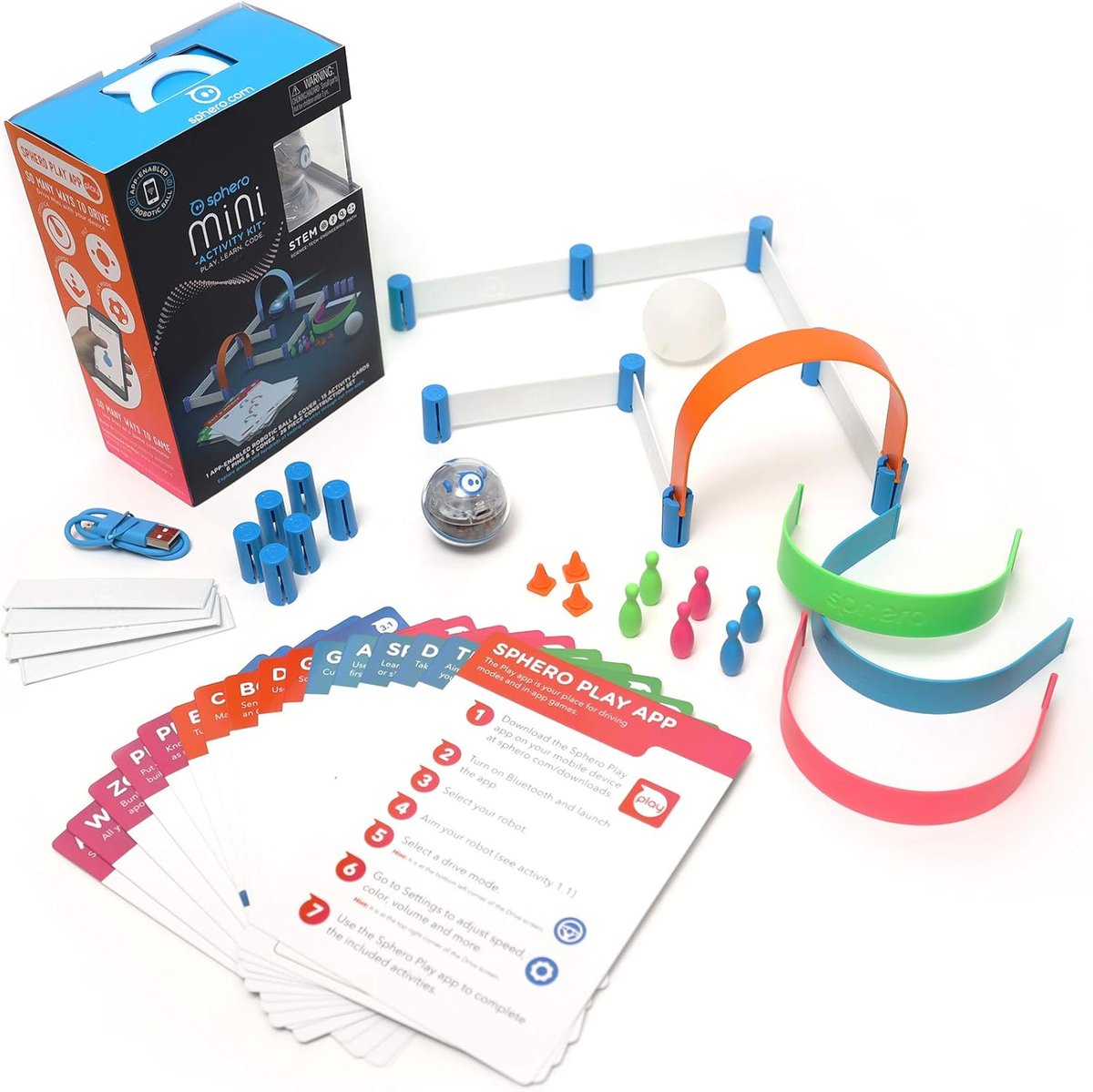
What you actually get
The Sphero Mini is a ping-pong-ball-sized programmable robot. It looks unremarkable in the hand — a clear plastic sphere with a small electronic core inside — but it pairs to a phone or tablet over Bluetooth and becomes a tiny driveable vehicle.
What makes it special is the kid-friendly app that comes with it: kids can drive the Sphero by tilting their phone, race it around obstacle courses, OR — and this is the real reason to buy it — code it using a visual block-based language called Sphero Edu. Coding loops, conditionals, and basic logic are introduced through what feels like a game.
It charges via USB-C, lasts about 45 minutes per charge, and works on hardwood, tile or low-pile carpet. Not deep shag.
What's brilliant
The coding mode is genuinely educational. Sphero Edu uses the same drag-and-drop block paradigm as Scratch — making it perfect for the 8–12 age bracket where kids are starting to encounter coding at school. Kids can write a programme that drives the Sphero in a square, changes colour after each turn, and beeps when it bumps into something. Real concepts, real syntax, immediate physical feedback. We watched two 9-year-olds iterate on a "make Sphero dance to music" program for over two hours.
The drive mode is a useful gateway. Most kids won't go straight to coding. The drive mode (steer with phone tilt, change LED colour, draw paths to follow) is the entry point — kids spend an hour driving the ball into walls, scaring the cat, and accidentally rolling it into a corner. Once that's old hat, they look for more, and the coding is right there.
Multiplayer racing works. Two phones, two kids, one race track around the kitchen island. This is when the Sphero earns its place at a sleepover.
Build quality is impressive. The clear plastic shell takes a genuine beating. Ours has bounced down a flight of stairs and survived. Inside is a sealed unit; no exposed circuitry to worry about.
What's frustrating
45 minutes of battery life isn't long. Big enough for one play session, not big enough for a sleepover. Charging takes about an hour. If you have a kid who wants to use it constantly, this becomes a meaningful annoyance.
Carpet is the enemy. The Sphero Mini struggles on anything thicker than a thin office-style carpet. Hardwood, tile, lino: brilliant. Plush living-room rug: forget it. Plan your play space.
The app needs a phone. Some kids don't have their own phone or tablet, and parents reasonably don't want to hand theirs over to a 9-year-old for unmonitored use. The Sphero Edu app is fine to use under supervision but doesn't have a "kids' mode" with parental controls.
It's small. This is a feature for travel and a bug for losing it. Behind a sofa cushion, under the fridge, down the back of the radiator — the Sphero Mini has been everywhere in our house.
Sphero Mini vs Sphero Bolt
The Bolt is the bigger, more capable sibling: bigger battery, programmable LED matrix you can draw images on, infrared communication so multiple Bolts can interact. Costs around 3x the price (£150 vs £50).
For most kids, the Mini is enough. The Bolt is for kids who've already maxed out the Mini and want to do more advanced things — multi-bot interactions, image displays, longer play sessions.
If you're choosing the first Sphero in a household: start with the Mini. Easy to recoup if it's a hit by adding a Bolt later.
Who it's for
A kid aged 8–11 who's curious about coding, comfortable with a phone, and into puzzles or robotics. A great Christmas gift for the "tech-curious tween" niche. Excellent for sibling co-play.
It's not the right gift for younger children (the app is genuinely too dense for under-8s), kids without easy phone access, or households with deep carpets.
Worth £49.99?
Yes — for the right kid. The Sphero Mini is one of the few "STEM toys" that doesn't feel like marketing. Kids who get into the coding side will use it for years; kids who don't will still get hours of joy out of the drive mode.
If you're not sure your child will engage with the coding aspect, the Mini is a low-risk way to test the water before investing in a Bolt.
Verdict
A genuinely good first programmable toy. Coding instruction that doesn't feel like work, in a form factor that's actually fun. Half a star deducted for battery life and the carpet limitation. Otherwise: a strong recommend.